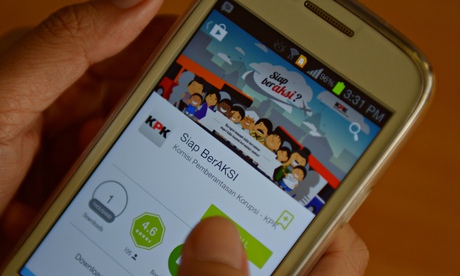
Indonesia’s anti-corruption agency has launched a mobile app packed with graphics and games to educate the public and officials about bribery.
The app, available for free on iPhones and handsets using the Android operating system, features a virtual theme park where animated graphics teach people about how to avoid giving out or receiving payments that could be considered bribes. It also incorporates quizzes to test people’s knowledge of the issue.
“Many state officials and entrepreneurs are not aware that giving gifts and free services constitutes corruption and is an offence,” said Johan Budi, a spokesman for Indonesia’s corruption eradication commissionspokesman.
Corruption is a major issue in Indonesia, where it is common practice for bureaucracy officials to demand payments from members of the public for providing services that should be free.
There is strong public awareness and anger in Indonesia about high-level corruption involving huge sums of money and top officials. The commission has succeeded in cracking some major cases, but corruption further down the food chain is more widespread and harder to fight.
Smartphone sales in Indonesia, which is the world’s fourth most populous country with 250 million people, have been surging in recent years as the middle class grows.
The NGO Transparency International ranked Indonesia 114th out of 177 countries and territories in its annual corruption perceptions index last year. A number one ranking means the least corrupt.
Description
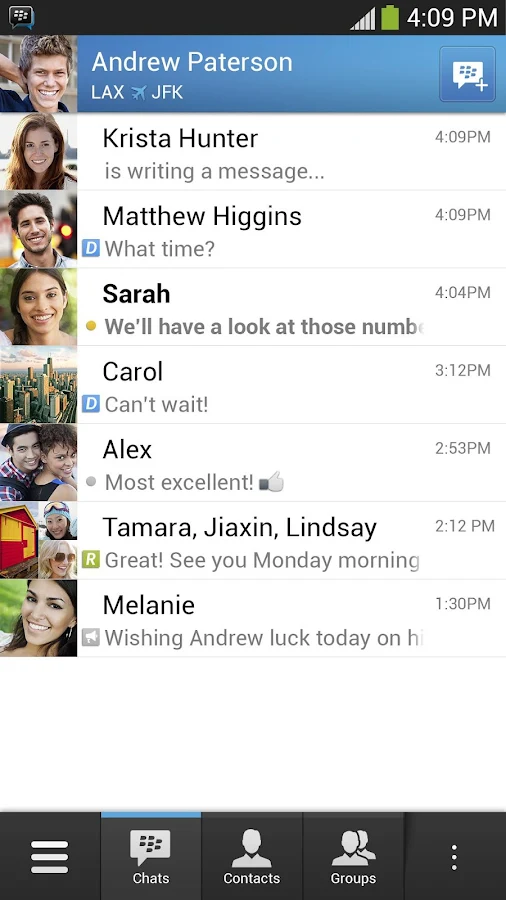
The OFFICIAL version of BBM™ from BlackBerry is now here for Android. Get the free BBM app for the best way to stay connected with friends and family. Download it now.
Chat with friends on Android, BlackBerry and iPhone:
• BBM is always on and always connected – no app to open
• Know when messages have been delivered (D’s) and read (R’s)
• Share photos, files, documents, voice notes and more
• See when contacts are responding to your message
• Emoticons for every mood and emotion let you express yourself
BBM lets you protect your privacy. You control it:
• You chose how to share your information - BBM uses PINs instead of phone numbers or email addresses so that it's more private, and you always control who can contact you
• You chose your contacts – 2-way opt-in means you have control over who is able to message you
Chat and Share with many at once:
• Groups – BBM groups help you share pictures, lists, and appointments with group members. You can even be in a group with people who aren't part of your own BBM contact list.
• Multi-person chats – Invite multiple contacts to have a chat together.
• Broadcast messages – Send a message to multiple BBM contacts at one time.
Create your own BBM profile:
• Post a profile picture using images, pictures or even animated pictures (GIFs).
• Update your status to let people know what you’re up to or how you feel
Download BBM for free today.
APK SERVER TUSFILES: BBM ANDROID LINK OK *
Uncheck see our download manager and get recommended downloads sebelum download, klik download tombol kecil yang tengah
APK SERVER 4SHARED: BBM ANDROID LINK OK FORMAT ZIP
APK SERVER 4SHARED: BBM ANDROID LINK OK FORMAT APK
Screen
At 4.8 inches across the diagonal, the Neo has one of the biggest screens available on a Windows Phone 8 device. Sadly, the screen offers only 1280 x 720p HD resolution rather than full HD, but that's because Windows Phone didn’t yet support full HD screens when the Neo was announced. Samsung typically uses AMOLED displays, but in the Neo's case it switched to LCD. I found the screen to be bright, colorful, and sharp enough that individual pixels are all but impossible to see. Viewing angles were good and I didn't have any trouble using the Neo outdoors so long as the brightness was set up all the way. The Neo's screen is bigger and more pixel-rich than the one on the HTC 8XT.
Sprint
The Neo performed above par when it came to connecting to Sprint's network. I tested it on both Sprint's EVDO 3G network and its LTE 4G network. When on 3G, it remained connected consistently and never dropped the signal. I had no trouble connecting calls, but 3G data is becoming increasingly painful in its lack of real speed. The Neo was quick enough on 3G to pull down email and Twitter updates, but downloading and installing apps was torturous. I used the Neo on Sprint's LTE network in New York City and saw a dramatic uptick in data speeds. Apps downloaded much faster and the device was quick to loading web pages. Sprint's LTE 4G footprint is slowly growing, but still lags its larger competitors.
Sound
The Neo is one of the better voice phones I've tested on Sprint's network in recent months, at least as far as the earpiece goes. Calls were crystal clear and had plenty of volume with the toggle set all the way up. I didn't hear any interference of any kind, and people with whom I spoke through the Neo said I sounded very good. I can't say the same for the speakerphone. Both quality and volume nosedive significantly. The speakerphone sounds like you're trying to talk to someone through a cardboard box, and the volume wasn't loud enough for use in my car. The ringers and alert tones were OK, but not great. The vibrate alert was strong enough to get my attention even when the Neo was stuffed in my backpack.
Battery
The Neo packs a 2,000mAh battery and I was impressed with the battery life it provided. The Neo easily lasted an entire waking day (from 7AM to 11PM), even when used extensively for firing off Tweets and emails. I spent the better part of a day with the Neo on Sprint's LTE 4G network and didn't notice any significant change in battery life compared to when it was used on 3G alone. You'll want to charge the Neo every night, but shouldn't have to worry about it in between charges.
Menus
The Note 3 runs Android 4.3 with Samsung's TouchWiz user interface on top. It behaves exactly like Android and TouchWiz do on the GS4 and other Galaxy-class devices released by Samsung this year, though there are a few changes.
The lock screen can be customized to a wide degree. You can adjust the size of the clock, add widgets, place app shortcuts at the bottom of the screen, as well as control notifications that appear on the lock screen.
There are five home screen panels that are littered with content out of the box, but these can be cleaned up and arranged however you might wish. There are some nice, new animations that are visible when you transition from home screen to home screen.
The main app menu can be viewed as an alphabetized grid, custom grid, or in list form. You can add folders, and in fact, Samsung has taken the liberty of creating a handful for you with its own apps stuffed inside. The preloaded apps appear to be less numerous thanks to the Samsung, Google, Amazon, and Verizon folders in the app menu. Don't fret, though, there are still way too many apps on this phone.
Multitasking
The Note 3 has a quad-core Qualcomm Snapdragon 800 processor under the hood with each core rated at 2.3GHz. The processor is paired with a class-leading 3GB of RAM. Let's just call this arrangement a monster. The Note 3 doesn't have any performance issues of any kind. It is screaming fast, doesn't get bogged down, and was able to run every service/app I threw at it. The Snapdragon 800 is an incredible processor, and it gives the Note 3 all the computing power a smartphone needs.
Calls/Contacts
The phone app itself is more or less the stock version of the Android dialer, but it has been reskinned so it looks a bit different. It offers plenty of customization powers that really let you dig in and make the phone's behavior your own. When the dial pad is visible, tap the menu button and you'll see an options screen for the phone. Here is where you can set rejection behaviors, alerts, answering/ending calls, set up voicemail, and control the TTY functions. You can turn on/off noise cancellation, as well as dial in your own preferences for volume, clarity, and warmth.
Messaging
The Note 3 has the typical list of messaging apps. The native communication tools include email, Gmail, Google+, and Hangouts. Neither Facebook nor Twitter is pre-installed, but Samsung's own ChatOn is. ChatOn is a cross-platform IM app that uses data rather than SMS to deliver messages. (
PS/SG)
In addition to the release of Windows 8.1, Microsoft today launched Microsoft Remote Desktop for Android and iOS, bringing the Windows desktop to phones and tablets. You can download the free app now directly from Google Play and Apple’s App Store.
As its name implies, the app lets you can connect to a remote PC while on the go. This is mainly aimed at business users looking to get their work done from wherever they are, but you can use the Remote Desktop client for your own purposes.
Here’s the official feature list for both Android and iOS:
Access to remote resources through the Remote Desktop Gateway.
Rich multi-touch experience with remote desktop protocol (RDP) and RemoteFX supporting Windows gestures.
Secure connection to your data and applications with breakthrough Network Layer Authentication (NLA) technology.
Simple management of all remote connections from the connection center.
High quality video and sound streaming with improved compression and bandwidth usage.
Interestingly, the iOS app has an extra bullet point: “Easy connection to external monitors or projectors for presentations.” It’s not clear if the Android app is missing this feature and will be added in a subsequent update, or if it’s just not listed.
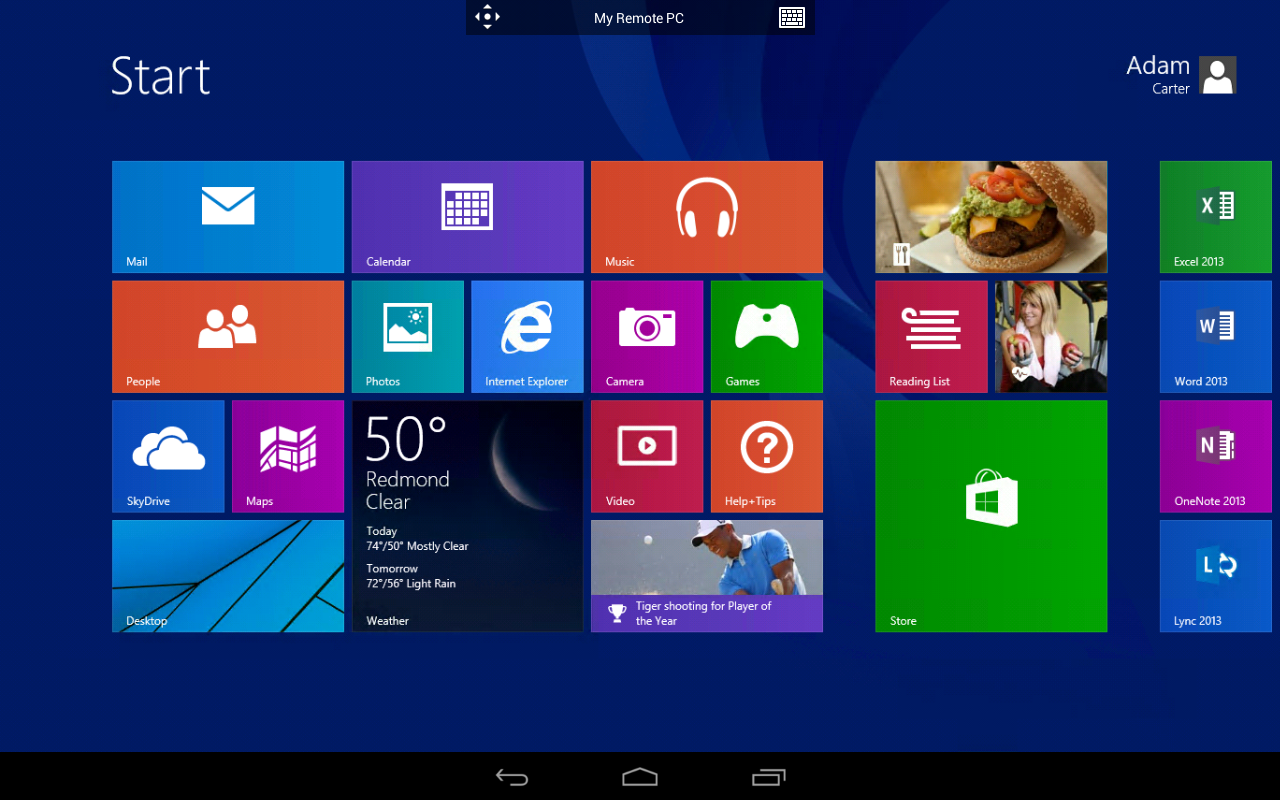
Here’s the Android app showing the Windows 8 desktop:
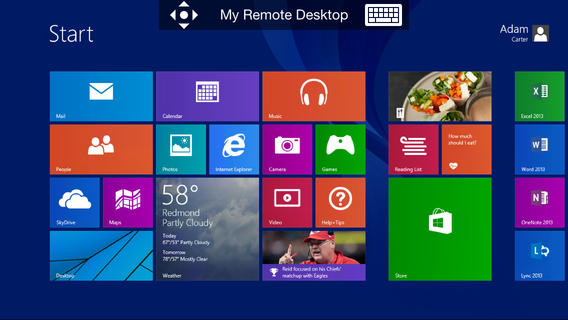
Here’s the iOS app in the same view:
If you need something on your Windows desktop but aren’t nearby, this app is for you (unless, as crazy as it sounds, you’re using a Windows Phone). Microsoft has offered remote access to Windows PCs and Macs for years, but this is the first time the functionality is available to mobile devices that aren’t running one of its operating systems.
The Windows PC that you want to access will need to also be running Remote Desktop, but as a host. You can read more about setting that up on Microsoft.com.
Last week, Microsoft quietly announced the app was coming to Android and iOS sometime this month. The news was slipped in as a one-sentence mention, buried in a press release.
At the time of writing, Microsoft hasn’t made an announcement the apps are available. Clearly the company doesn’t want to promote the release of Remote Desktop on non-Microsoft platforms.